
Reviewed · MUSEUMS
Berlin: Tickets to the Computer Games Museum
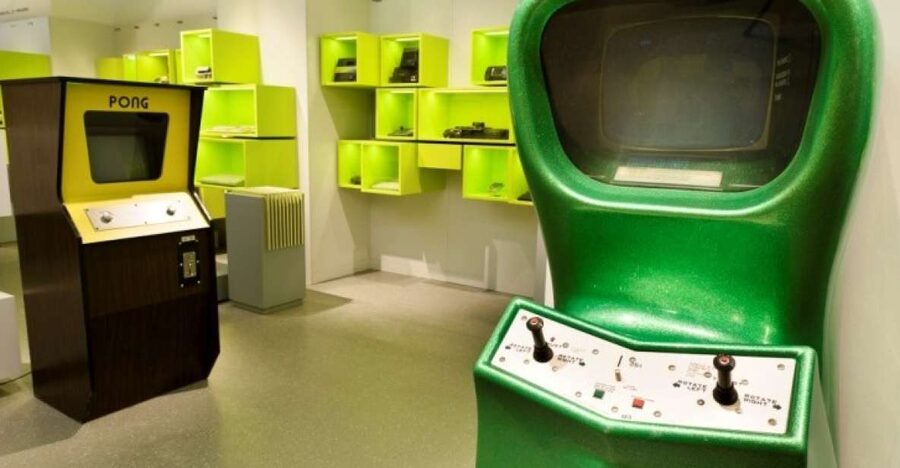
Berlin’s Computer Games Museum is interesting because it turns gaming history into something you can touch, press, and test, not just read. It’s a museum built around playing, from early arcade icons to more recent tech like 3D consoles and handheld games.
I especially like the sheer range of exhibits, 300+ items across about 60 years, because the progression feels real instead of random. I also love the hands-on layout, where interactive stations like Pong-style machines, a Giant Joystick, and the PainStation make you part of the story, not a spectator.
One possible drawback: you might find the museum compact in terms of space and floors, and a few areas can get busy, especially the arcade corners. If you want wall-to-wall cutting-edge modern games, you may feel the balance is more retro-focused overall.
Key Things to Know Before You Go
- Hands-on by design, with many stations you can play yourself, from old to newer formats
- 300+ exhibits covering roughly 60 years of gaming history
- Arcade classics and coin-operated cabinets, including Donkey Kong and Space Invaders
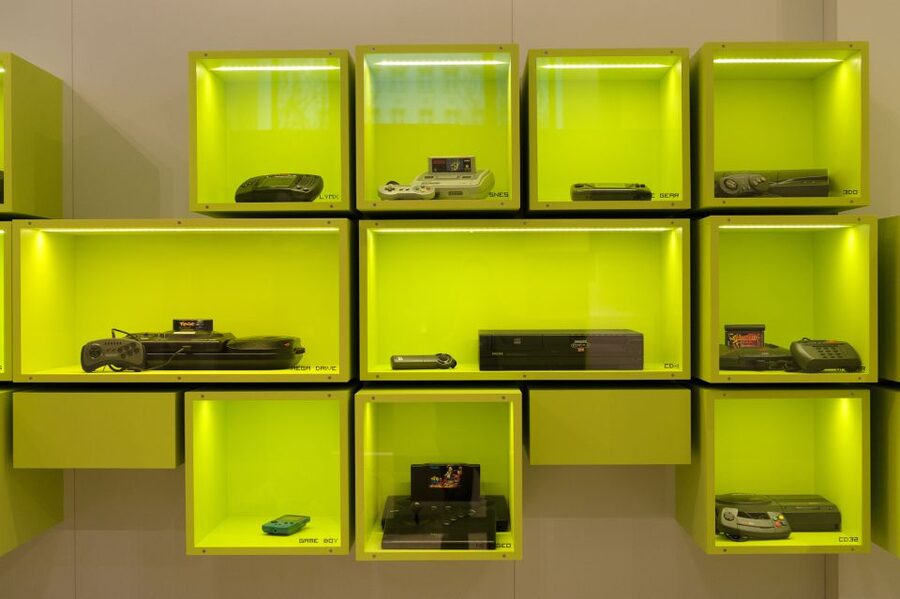
- A Wall of Hardware that traces machines across generations, like Commodore, Game & Watch, and PlayStation
- Big interactive challenges, including the Giant Joystick and the PainStation
- A mix of eras, with milestone displays such as Pac-Man, Bomb Jack, and even Grand Theft Auto IV
Why Berlin’s Computer Games Museum Feels Different Than a Usual Museum
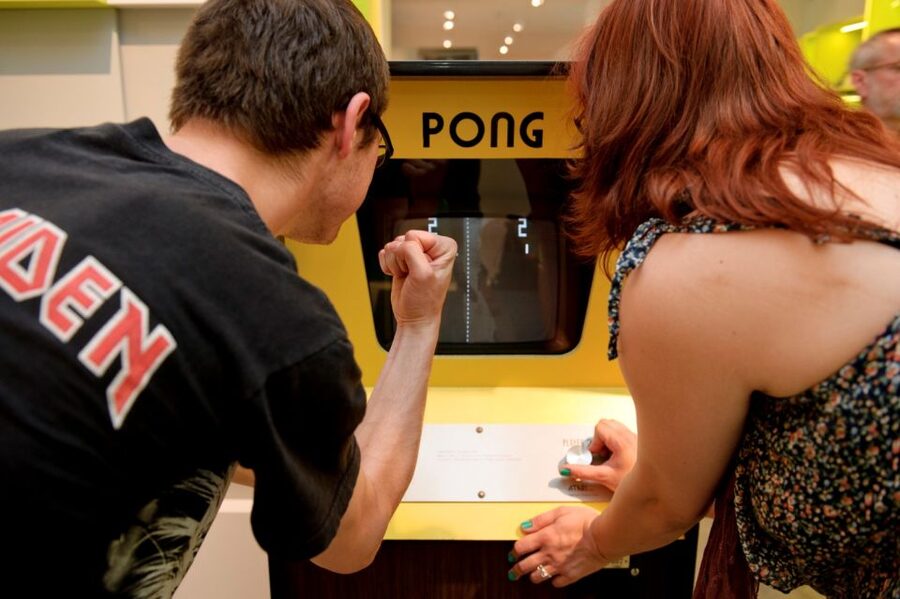
A lot of museums tell you the story of tech. This one tries to make you use it. That matters. When you press buttons on older gear, you feel the limitations, the pace, and the design choices that shaped early games. It’s a good way to understand why certain game styles became popular, long before high-definition graphics and online worlds.
I also like the way the museum builds a “then and now” rhythm. You start with early arcade vibes, you move through iconic machines, and you end up in areas that show how gaming evolved toward 3D and more modern devices. It’s history you can compare side-by-side, even if you only spend a few hours inside.
Finally, the setting is practical: you can visit at your own pace with a ticket that covers the permanent exhibition plus the special exhibition. That gives you freedom to linger where you care most, instead of being herded.
More Museums in Berlin
- Berlin: Jewish Museum Berlin Entrance Ticket
★ 4.5 · 8,393 reviews - Berlin: DDR Museum Tickets
★ 4.3 · 3,443 reviews - Berlin: Natural History Museum Entrance Ticket
★ 4.6 · 3,382 reviews
Tickets, Price, and How to Plan Your One-Day Time Slot
This is a 1-day museum ticket. The price is $22 per person, which is a solid deal when you factor in how much is interactive. If you normally only watch museum displays, the value is still there. But if you actually play a bunch of stations, you get way more out of your time.
You’ll want to treat this like an activity, not a quick walk-through. Reviews and the museum setup both point to a common pattern: people often spend a few hours inside because there’s always another playable cabinet, another controller, or another “try it yourself” game station. Plan for several hours so you can do the arcade, the hardware wall, and at least a chunk of the milestones and special exhibition.
A helpful detail for planning: the museum ticket is valid for a specific day, with starting times based on availability. If you can, pick a time that fits your energy. Later in the day can mean more crowds at popular stations, especially the arcade area.
No guide is included with the ticket. If you want extra context, you might see optional tours that cost a few euros, and they can help you interpret what you’re seeing without slowing you down too much.
First Stop: Meeting Point and Getting Oriented Inside
You meet at Computer Games Museum Berlin, Karl-Marx-Allee 93a, 10243 Berlin. Once you’re inside, the museum’s layout is designed to move you through eras in a sensible flow.
Here’s my practical approach for getting oriented fast:
- Start with the areas that give you “the big picture” first, especially the Wall of Hardware and the milestone highlights.
- Then go for the playable corners while you still feel energetic.
- Leave the special exhibition for when you have enough time to actually read and try anything interactive there.
This order helps because it prevents the classic problem of playing first and then later realizing you wanted context. With this museum, you’re not just collecting memories, you’re learning how the tech changed, and your brain locks onto that better with an early map.
The Wall of Hardware: Commodore to Game & Watch to PlayStation
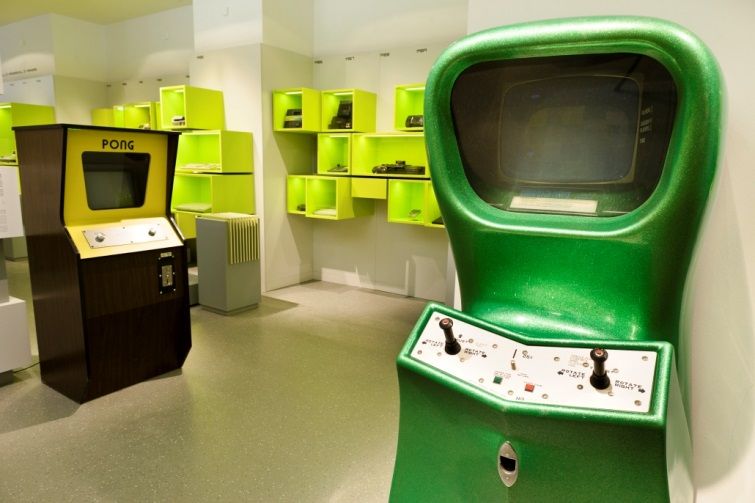
One of the museum’s strongest strengths is its Wall of Hardware, where you see favorite machines from multiple generations. The museum explicitly calls out Commodore, Game & Watch, and PlayStation, which is a smart mix because it shows different eras of gaming hardware and the way input changed over time.
What I like about this is that it’s not just a “look at the box” moment. It gives you a quick framework for understanding why different games feel different today. When you see older devices side-by-side, you start noticing:
- how controllers and input shapes gameplay
- how game design adapted to limited computing power
- how physical hardware created a particular gaming rhythm
If you’re visiting with kids or teens, this hardware wall is a great place to start the conversation. You can point out that early games weren’t only about skill. They were also about what the system could do.
Another way to spend a Berlin afternoon:
- Berlin: Reichstag, Dome and Government District Guided Tour
★ 4.7 · 18,288 reviews - Berlin: 1-Hour City Tour by Boat with Guaranteed Seating
★ 4.3 · 16,993 reviews - Berlin: TV Tower Standard Entrance Ticket
★ 4.4 · 15,883 reviews - Berlin: Boat Tour Along the River Spree
★ 4.4 · 11,252 reviews
The Arcade Corner: Pong, Donkey Kong, and Space Invaders
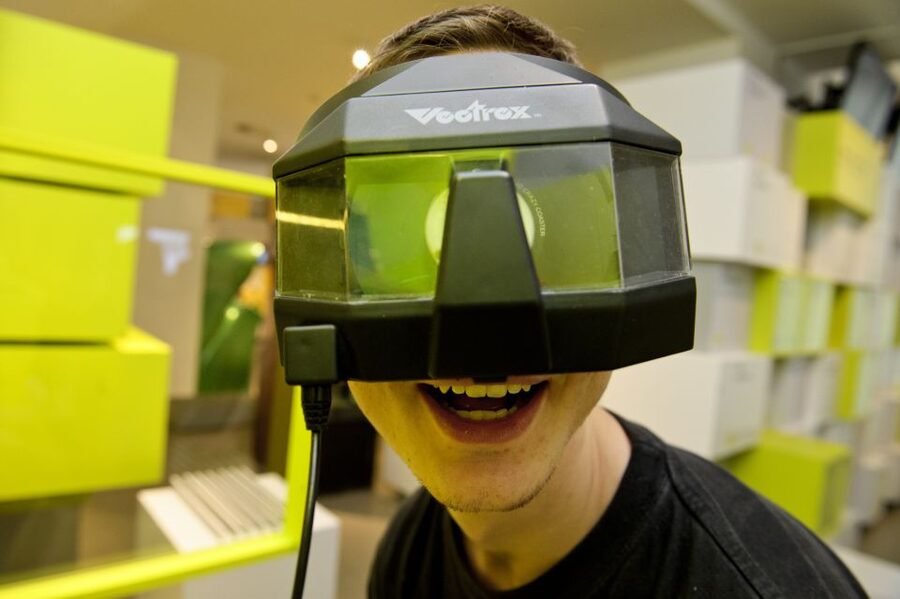
Right around the corner, the museum includes a smaller amusement arcade with coin-operated machines. This is a key moment for me, because it turns history into something you can participate in immediately.
You can expect familiar cabinet names like Donkey Kong and Space Invaders, plus legendary early-game experiences tied to the museum’s arcade storytelling, including a Pong arcade machine. The museum also highlights other named exhibits, such as Nimrod, which adds variety beyond the usual top-five classic.
A practical note: arcade stations can attract long lines, and the arcade area can get popular. If you’re traveling with a group and everyone has a favorite game, it helps to decide early how you’ll handle waiting. One option is to take turns. Another is to split up for a set time and regroup, since the museum has plenty of other playable exhibits nearby.
Also, don’t judge older games by today’s standards. Part of the museum’s charm is seeing how “simple” controls created surprisingly addictive play. One review mentioned how older games can feel slow, and that’s actually useful context for the whole experience.
Milestones and Iconic Titles: Pac-Man to Grand Theft Auto IV

As you move through, you’ll hit the museum’s milestone section with 52 highlights of famous games such as Pac-Man, Bomb Jack, and Grand Theft Auto IV. I like this section because it’s not just a timeline. It’s a set of recognizable reference points that helps you connect hardware changes to game design changes.
Here’s how to get value from it without spending forever:
- Pick a few era markers (like one from the arcade age, one from the console age, and one from the modern era).
- Use those as “anchors” while you play interactive stations later.
- If you see a game name you recognize, stop long enough to notice what makes it different in that moment of gaming history.
The inclusion of something like Grand Theft Auto IV also matters. Even if the museum feels more retro than modern overall (as some feedback suggests), having at least one major modern milestone keeps the story honest. It tells you the museum isn’t pretending that gaming ended in the 1980s or 1990s.
3D Games and Movement Play: 3D TV and 3DS Stations
Gaming didn’t just change in resolution and plot. It changed in how your body relates to the experience. The museum includes dance and movement games, and it also features 3D options such as a 3D television and handheld 3DS experiences.
This is one of those areas that often surprises adults. You might arrive thinking, I want to see old consoles. Then you try a movement or 3D station and realize how game design pushed beyond buttons and joysticks.
To make this section work for you, don’t treat it like a quick photo stop. Spend a little time. The point is to feel how early 3D and motion input changed gameplay and pacing. Even if 3D isn’t perfect by today’s standards, it explains why later gaming leaned into immersive controls and physical engagement.
Giant Joystick and PainStation: The Fun, the Fear, and the Story
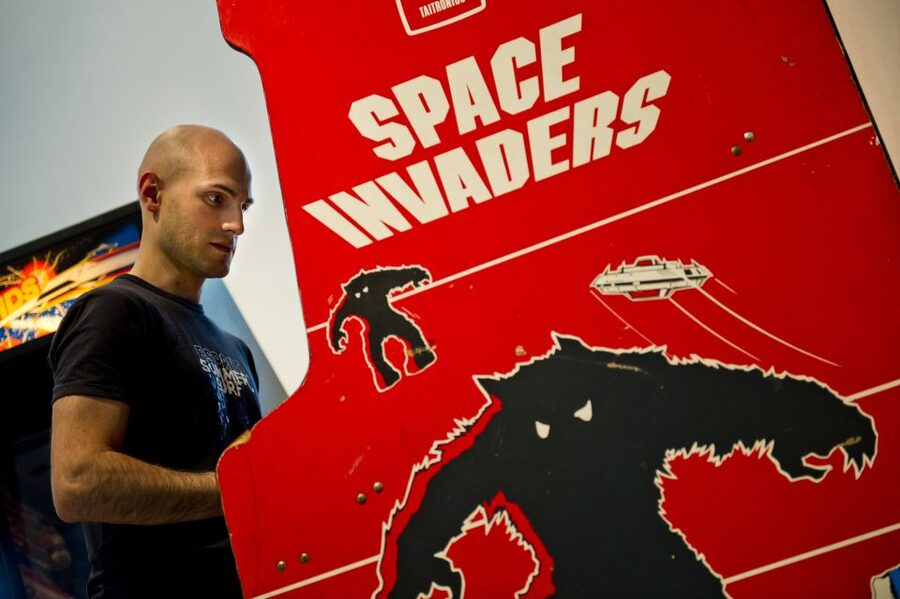
Two of the most memorable interactive exhibits are the Giant Joystick and the PainStation.
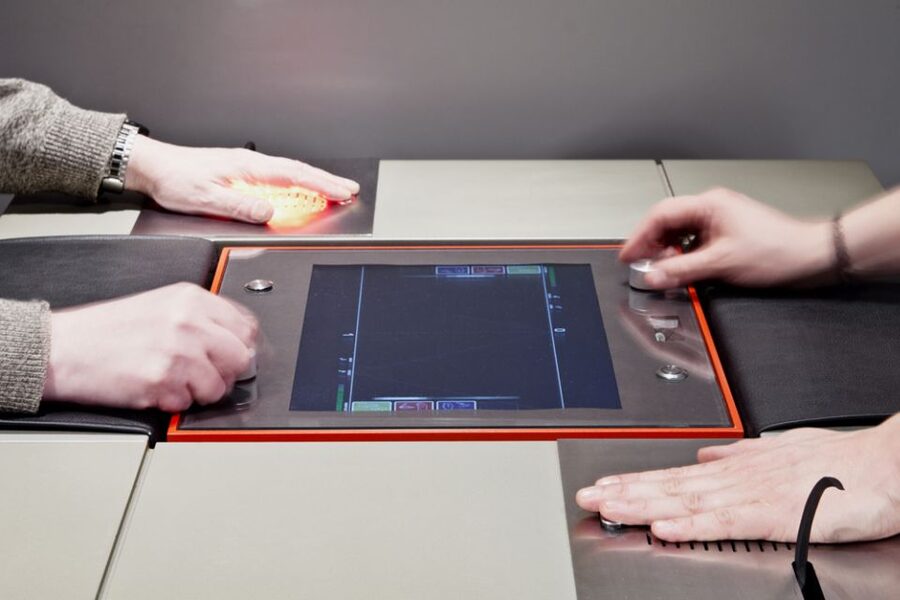
The PainStation is described as a challenge where you get shocks when you miss balls, so it’s not for everyone. I actually think that’s a positive, because it frames the museum as active, not passive. You know right away what kind of bravery and willingness to laugh at yourself is required.
If you’re visiting with kids, this is where you set expectations. Some kids are excited about trying everything. Others might want to watch first. Either way, it helps to decide ahead of time who is “tester” and who is “cheer squad,” because it can be a loud area once multiple people are lined up.
The Giant Joystick is a better fit for most visitors who want hands-on fun without the intensity. It also fits the museum theme nicely, because it shows how controllers became part of the spectacle, not just the input tool.
Special Exhibition Time: When You Should Slow Down
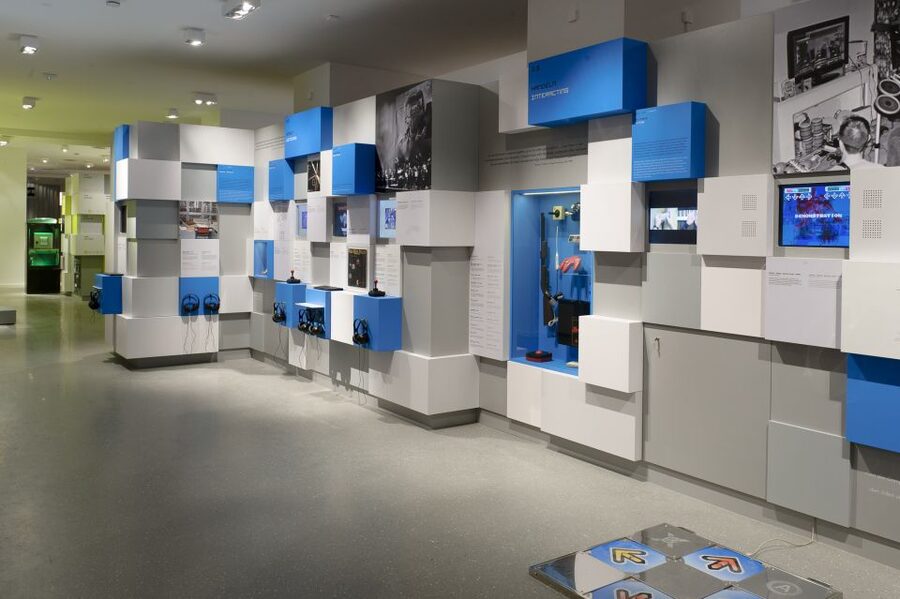
Your ticket includes the special exhibition as well as the permanent exhibition. The special exhibition is your wildcard. Since the specific content can vary, you’ll want to treat it like a full component of your day rather than a bonus.
My advice is simple: don’t cram it. After you do the arcade and milestones, you’ll probably want a calmer stretch where you can read, explore, and try whatever interactive pieces are on offer. That special exhibition slot is also a good place to take a break if crowds build up earlier in the day.
If you’re the type who hates missing anything, aim to allocate time for it even if you feel tempted to keep playing arcade games.
How Long Should You Stay, and What to Prioritize If You’re Short on Time
You have a 1-day ticket, but not everyone has a full day. The good news is that the museum is packed with “chapters,” so you can prioritize.
A realistic plan:
- 1 to 1.5 hours for the Wall of Hardware and milestones (so you get the context)
- 1 to 2 hours for arcades and big interactive machines (Pong, coin-op classics, Giant Joystick)
- 30 to 60 minutes for 3D and movement games
- extra time for the PainStation if you want it, plus the special exhibition
A common pattern from feedback is that people often end up staying around four hours, depending on how many playable stations they try and how long they spend in the arcade area.
If you’re short on time, don’t spread yourself thin across every station. Pick the experiences that match your interests:
- nostalgia and arcade cabinets, go heavy on the coin-operated area
- tech and hardware, spend more time at the Wall of Hardware
- modern input experiments, prioritize 3D and movement games
Crowds, Kids, and Small Reality Checks
This is a popular family activity. One review-style caution is that you may find it busy and loud, and some older consoles can be treated roughly by excited kids. Another mentions the museum can feel very crowded at times, and that the arcade can be small and popular.
Here’s how to handle that like a pro:
- Start with the arcade early in your visit if you want to reduce waiting.
- If a cabinet has a line, take a lap through another section instead of waiting in one place.
- Keep expectations flexible. If you can’t play one specific game right away, you won’t be stuck, because the museum has lots of other interactive stations.
Also remember, older games can feel slow compared to today’s standards. That doesn’t mean they’re not fun. It means the challenge is different. For some kids it can be a reality check, for adults it can be a laugh in the best way.
Wheelchair Access and Practical Comfort
The museum is listed as wheelchair accessible, which is a big deal for comfort and independence. If you use a wheelchair or mobility aids, you’ll likely appreciate being able to explore the exhibits without fighting stairs or awkward barriers.
In a place built around interactive stations, accessibility also affects how you experience the hands-on parts. It’s worth taking your time at each playable exhibit so you can get comfortable before you try it.
Should You Book the Computer Games Museum Ticket?
If you like video game history and you want to play along the way, I think you should book. For $22, the value is tied to how hands-on the museum is, plus the wide spread of eras from arcade classics to 3D and handheld play.
This ticket is especially worth it if you’re going with kids or anyone who learns by doing. If you’re a hardcore modern-gaming fan hoping for lots of brand-new titles, you might feel the overall vibe is more retro focused, even though you do get major milestones like Grand Theft Auto IV.
My final take: if you want an active, slightly nerdy Berlin experience with plenty of recognizable classics and interactive moments, this one is a straightforward yes.
FAQ
Where is the meeting point for the Computer Games Museum ticket?
The meeting point is Computer Games Museum Berlin, Karl-Marx-Allee 93a, 10243 Berlin.
How much does the Berlin Computer Games Museum ticket cost?
The ticket is listed at $22 per person.
How long is the experience valid?
Your ticket is valid for 1 day, with starting times depending on availability.
What’s included with the ticket?
Your ticket includes admission to the permanent exhibition and the special exhibitions.
Is a guide included?
No. A guide is not included with the ticket.
Is the museum wheelchair accessible?
Yes, the museum is listed as wheelchair accessible.
Can I pay later or cancel if plans change?
You can choose reserve and pay later, and there is free cancellation up to 24 hours in advance for a full refund.
Fresh reviews out of Berlin
- Gastro Tour with Klaus though the Wrangelkiez, Kreuzberg★ 5.0 · 9 reviews
- Wall Tour Berlin – Fates, Heroes & Love Stories★ 4.0 · 9 reviews
- Berlin City Tour with Hotel pick up and Drop off★ 4.0 · 9 reviews
- Berlin Private Street Art Tour – Off The Grid★ 5.0 · 9 reviews
- Romantic Berlin Rickshaw City and Photo Tour – incl. pick-up★ 4.0 · 9 reviews
- Quatsch Comedy Club Berlin: Quatsch Comedy Hot Shot★ 4.8 · 9 reviews
- Berlin Urbex Adventure and History Tour★ 5.0 · 9 reviews
- Stag Party Berlin: Celebration for Your Bachelor Party★ 3.4 · 9 reviews
Museums, compared.



Skip-the-Line: Berlin Wall Museum at Checkpoint Charlie
Read our review →Browse the lists this tour appears in